
9 min read
The Complete Guide to ERP Selection for Manufacturers (2026)
 Aqurus Solutions
Oct 22, 2026, 2:19:43 PM
Aqurus Solutions
Oct 22, 2026, 2:19:43 PM
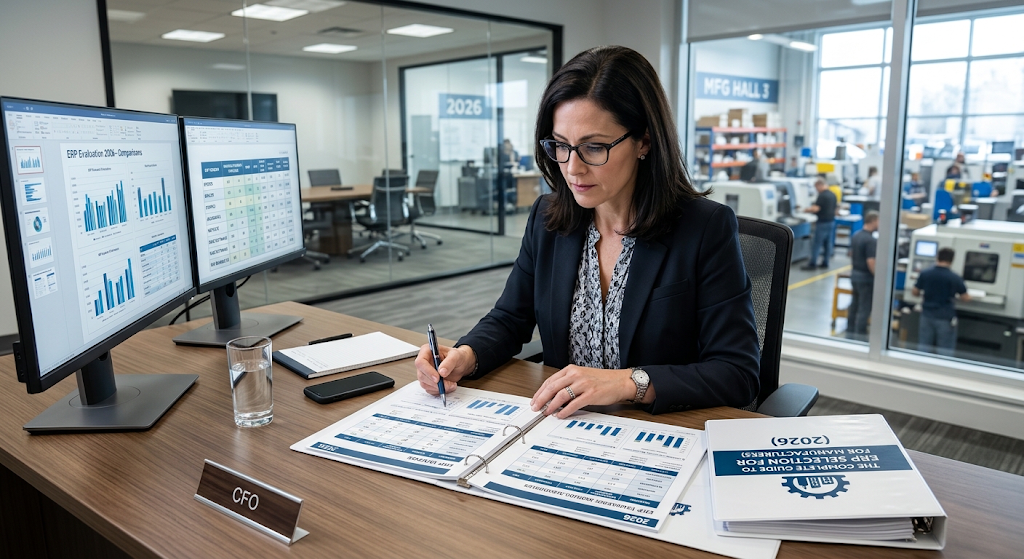
Choosing the right ERP is one of the highest-stakes technology decisions a manufacturer will make. If you're running your shop floor on QuickBooks or legacy accounting software, you already know the limits: disconnected data, manual workarounds, and reporting that takes days instead of minutes. An ERP selection services process gives your team a structured path from requirements definition through software evaluation and final contract.
This guide walks you through the full ERP selection lifecycle for manufacturers. You'll learn how to run requirements workshops, evaluate vendors against your actual operations, and plan a replacement that fits the way you build, ship, and scale. Aqurus Solutions helps Canadian manufacturers navigate this process every day as an Acumatica gold-certified partner.
Key Takeaways: ERP Selection for Manufacturers
- ERP selection services guide manufacturers through requirements gathering, vendor evaluation, and contract negotiation.
- Requirements workshops align operations, finance, and IT teams around documented business needs before any vendor demo.
- Scored vendor evaluations using your own data reduce the risk of choosing software that does not fit your production model.
- Aqurus Solutions provides ERP selection and implementation services for manufacturers across Western Canada.
- A structured selection process shortens implementation timelines and protects your budget from scope changes.
What Are ERP Selection Services for Manufacturers?
ERP selection services are structured consulting engagements that help manufacturers identify, evaluate, and choose the right enterprise resource planning software. The process typically covers requirements definition, vendor shortlisting, scripted demonstrations, and contract negotiation.
For manufacturers still running on QuickBooks or legacy accounting tools, selection services provide a clear bridge between recognizing the need for change and committing to a specific platform. The focus is always on how your business actually operates, not on generic feature checklists.
A qualified ERP consultant documents your Bill of Materials (BOM) structures, routings, shop floor workflows, quality processes, and financial reporting needs. That documentation becomes the foundation for every vendor conversation that follows.
Why Do Manufacturers Need a Structured ERP Selection Process?
Manufacturers face unique software challenges that general-purpose businesses do not. Your ERP needs to manage production scheduling, material requirements planning (MRP), job costing, variance analysis, and compliance tracking. Choosing a platform without mapping these needs first often leads to expensive customizations and delayed go-lives.
According to research published, approximately 55% to 75% of ERP projects fail to meet their objectives. Poor software selection is frequently cited as a root cause. A structured process reduces this risk by ensuring you evaluate platforms against your actual workflows, not against polished demo scripts.
Without a formal selection framework, internal teams often default to the loudest vendor pitch or the lowest sticker price. Neither approach accounts for the total cost of ownership, implementation complexity, or long-term fit with your manufacturing model.
How to Identify When You've Outgrown QuickBooks or Legacy Software
QuickBooks serves many small businesses well in early stages. As production volumes grow, the limitations become operational problems. If your finance team spends days reconciling spreadsheets at month-end, or your operations staff tracks BOMs outside the accounting system, you've outgrown your current tools.
Common signals include:
- Inventory counts that do not match the shop floor
- Manual data entry between separate systems for quoting, production, and accounting
- Inability to track actual vs. standard production costs in real time
- Month-end close cycles that stretch beyond one week
- No single view of manufacturing challenges across production, inventory, and finance
Recognizing these signs early gives your team time to plan a thoughtful transition rather than a forced migration under pressure.
How Do ERP Requirements Workshops Work?
Requirements workshops are facilitated sessions where cross-functional teams document the business processes, constraints, and exceptions your new ERP must support. They are the most important step in the entire selection process because they produce the objective criteria every vendor will be measured against.
Who Should Participate in ERP Requirements Workshops?
Include representatives from operations, finance, quality, supply chain, IT, and sales. Each group brings a different view of how the business runs. Operations managers understand production scheduling constraints. Finance leaders know reporting and compliance requirements. IT staff map integration points with existing tools like CAD, PLM, or EDI systems.
Executive sponsors keep the project aligned with strategic goals and provide the authority to prioritize conflicting requirements. Without executive involvement, workshops often stall on departmental disagreements.
What Outputs Should Requirements Workshops Produce?
A well-run workshop produces several deliverables that guide the rest of the selection process:
- A prioritized requirements matrix (must-have, should-have, nice-to-have)
- Documented current-state workflows for quoting, order entry, production, quality, and shipping
- Integration requirements for existing systems and third-party tools
- User counts by role and site, including projected growth over three to five years
- Budget parameters covering licensing, implementation, training, and ongoing support
These deliverables become the foundation of your Request for Proposal (RFP). They also protect your team from vendor pitches that emphasize features you do not need while glossing over capabilities you require.
How to Evaluate ERP Vendors for Manufacturing Fit
Vendor evaluation for manufacturing ERP goes well beyond comparing feature lists. You need to assess how each platform handles your specific production model, whether that is make-to-order, engineer-to-order, configure-to-order, or mixed-mode manufacturing.
Building a Vendor Shortlist Based on Manufacturing Capabilities
Start by identifying three to five vendors that serve your industry and company size. Filter based on manufacturing-specific capabilities: BOM management, MRP, advanced planning and scheduling (APS), shop floor control, lot and serial traceability, and quality management.
Eliminate platforms that require heavy customization to support your core production workflows. The closer a system fits out of the box, the faster your implementation timeline and the lower your total cost of ownership.
Running Scripted Vendor Demonstrations Using Your Data
Generic vendor demos show the software at its best. Scripted demos using your own part numbers, BOMs, and order scenarios reveal how the platform handles your real-world complexity.
Create demo scripts that cover:
- A make-to-order or engineer-to-order scenario with a mid-production change
- A quality event including non-conformance, disposition, and supplier return
- Month-end close processes including job costing, variance analysis, and financial reporting
- Multi-site inventory transfers and intercompany transactions
Score each vendor using the same weighted criteria your team defined during system and process evaluations. Assign weights before seeing any demo to avoid bias toward the most polished presenter.
How to Compare Total Cost of Ownership Across ERP Platforms
Licensing fees represent only a portion of the total cost. Your comparison should also include implementation services, data migration, custom report development, training, and ongoing annual support.
Pay close attention to the licensing model. Per-user pricing can become expensive as your team grows. Consumption-based licensing, like the model Acumatica offers, charges based on computing resources rather than headcount. This lets you add users without increasing your license cost.
What Manufacturing-Specific ERP Capabilities Should You Prioritize?
Not every ERP platform is built for manufacturing. When evaluating options, prioritize capabilities that directly address your production, inventory, and compliance requirements.
Production Management and Shop Floor Control
Your ERP should manage work orders, routings, and production schedules from a single interface. Look for tools that support backflushing, lot and serial tracking, barcode integration, and real-time production dashboards. These capabilities eliminate manual data collection and give supervisors immediate visibility into shop floor status.
Material Requirements Planning and Scheduling
MRP ensures the right materials are available at the right time by generating time-phased purchasing and production plans based on actual demand and forecasts. APS tools go a step further by matching production schedules with resource availability, avoiding bottlenecks and overtime costs.
Aqurus Solutions delivers Acumatica Cloud ERP with integrated MRP and APS modules that support multiple manufacturing modes, from make-to-stock through engineer-to-order.
Quality Management and Compliance Tracking
Manufacturers operating under ISO, AS9100, or other regulatory frameworks need built-in quality management. Your ERP should track non-conformance events, manage corrective actions, and provide full lot and serial traceability from raw materials through finished goods.
Financial Visibility and Cost Control
Real-time visibility into actual vs. standard costs is essential for protecting margins. Look for ERP platforms that support job costing, labour tracking, and variance analysis at the work-order level. Integrated financial management should include general ledger, accounts payable, accounts receivable, and multi-entity consolidation.
How to Plan Your Replacement of QuickBooks or Legacy Accounting Software
Replacing QuickBooks or a legacy accounting system is not an overnight event. A realistic plan accounts for data migration, user training, parallel running periods, and phased rollouts.
Step 1: Document Current-State Processes and Data
Before configuring any new system, map your existing workflows in detail. Identify which processes will carry over, which need improvement, and which should be eliminated. Document your chart of accounts, vendor and customer master data, inventory records, and open transactions.
Step 2: Define Your Future-State Requirements
Use the outputs from your requirements workshops to define what your operations will look like on the new platform. Prioritize the capabilities that address your biggest pain points first. A phased approach lets your team absorb changes gradually rather than facing a disruptive all-at-once cutover.
Step 3: Select Your Implementation Partner
Your implementation partner matters as much as the software itself. Look for a partner with direct experience in your industry, a proven implementation methodology, and a commitment to post-go-live support. Since 2010, Aqurus Solutions has delivered Acumatica Cloud ERP implementations to manufacturers across Calgary, Vancouver, Edmonton, and Kelowna.
Step 4: Execute Data Migration and User Training
Data migration requires careful mapping between old and new systems. Clean your data before migrating: remove duplicate records, reconcile open balances, and validate inventory counts against physical stock.
Training should be role-specific. Finance users need training on the general ledger, reporting, and month-end close procedures. Operations staff need hands-on practice with production orders, BOMs, and shop floor data collection. A partner that provides structured training alongside implementation, like Aqurus, helps your team build confidence before go-live.
Step 5: Go Live and Optimize
Plan a parallel running period where both the old and new systems operate simultaneously. This gives your team a safety net and a chance to validate data accuracy. After go-live, schedule regular check-ins with your implementation partner to optimize workflows, add new modules, and address any gaps that emerge during daily use.
How Aqurus Solutions Supports ERP Selection for Canadian Manufacturers
Aqurus Solutions provides ERP selection services specifically designed for manufacturers in Western Canada. The process starts with a business systems assessment that documents your current workflows, pain points, and growth objectives.
As an Acumatica gold-certified partner operating since 2010, Aqurus brings deep product expertise and hands-on implementation experience to every engagement. The team specializes in manufacturing, distribution, and eCommerce ERP, with offices in Calgary, Vancouver, Edmonton, and Kelowna.
Aqurus delivers Acumatica Cloud ERP through a consultative approach: understanding your current systems, designing a tailored ERP configuration, and supporting you through implementation, training, and ongoing optimization. The result is a single, scalable manufacturing ERP solution that unifies inventory, production, finance, and reporting into one connected platform.
Common Mistakes to Avoid During ERP Selection
Even with a structured process, manufacturers can fall into traps that derail their selection. Avoiding these common mistakes will save time, budget, and frustration.
Choosing Software Before Defining Requirements
Skipping requirements workshops and jumping straight to vendor demos is the most common mistake. Without documented requirements, you have no objective way to compare platforms. Vendors will steer the conversation toward their strengths, and your team may not realize critical gaps until implementation is underway.
Underestimating Change Management
New software changes how people work every day. If your team is not prepared, adoption will suffer. Invest in clear communication about why the change is happening, what the timeline looks like, and how training will be structured. Engage department leads early so they become advocates rather than resistors.
Ignoring Total Cost of Ownership
Comparing license fees alone gives an incomplete picture. Factor in implementation, customization, integration, training, and annual support costs. A platform that appears less expensive upfront may cost significantly more over a five-year period if it requires extensive modifications to fit your manufacturing workflows.
ERP Selection Checklist for Manufacturers
Use this checklist to keep your selection process on track from start to finish:
- Name an executive sponsor and project lead with dedicated time
- Document the three to five business problems your ERP must solve
- Map current-state processes for quoting, production, quality, shipping, and finance
- List all systems and spreadsheets the ERP will replace or integrate with
- Count users by role and site, now and in three to five years
- Set a budget range covering licensing, implementation, training, and support
- Split requirements into must-have, should-have, and nice-to-have categories
- Include manufacturing-specific needs: BOM levels, routings, traceability, and compliance
- Shortlist three to five vendors based on industry fit and comparable references
- Run scripted demos using your own data, not canned presentations
- Compare total cost of ownership over a three-to-five-year horizon
- Evaluate implementation partners on industry experience and track record
In Conclusion: How to Choose the Right ERP for Your Manufacturing Business
ERP selection is a process, not a purchase. Manufacturers who invest in requirements workshops, structured vendor evaluations, and careful replacement planning consistently achieve faster implementations and stronger long-term results.
If you're running on QuickBooks or legacy accounting software and your operations have outgrown what those tools can deliver, a formal ERP selection process gives you the clarity to move forward with confidence. Aqurus Solutions is here to help you define your requirements, evaluate your options, and implement a solution that fits the way you build, ship, and scale.
FAQs About ERP Selection for Manufacturers
What is an ERP selection process for manufacturers?
An ERP selection process is a structured evaluation that helps manufacturers define requirements, shortlist vendors, run scripted demonstrations, and negotiate contracts. The goal is to match your production, inventory, and financial workflows to the platform that fits your operations.
How long does ERP selection typically take for a manufacturing company?
Most manufacturing ERP selections take three to six months from initial requirements workshops through final vendor decision. Timelines vary based on company size, number of sites, and complexity of production processes.
Why should manufacturers replace QuickBooks with a cloud ERP?
QuickBooks lacks manufacturing-specific capabilities like BOM management, MRP, shop floor control, and real-time production costing. A cloud ERP unifies production, inventory, and finance into one system, eliminating manual workarounds and disconnected data.
How does Aqurus Solutions help with ERP selection?
Aqurus Solutions guides manufacturers through the full selection lifecycle, from requirements workshops through implementation and post-go-live support. As an Acumatica gold-certified partner since 2010, Aqurus brings deep manufacturing expertise to every engagement across Western Canada.
What should manufacturers look for in an ERP implementation partner?
Look for direct manufacturing industry experience, a structured implementation methodology, post-go-live support capabilities, and verifiable references from similar-sized companies. A partner like Aqurus Solutions combines all four with local presence across Calgary, Vancouver, Edmonton, and Kelowna.
What are ERP requirements workshops and why do they matter?
ERP requirements workshops are facilitated sessions where cross-functional teams document business processes, constraints, and priorities. They produce the objective criteria used to evaluate every vendor, reducing the risk of choosing software based on sales presentations rather than operational fit.