Excel ERP Reporting Software
Excel Based Reporting for Acumatica
Talk to Aqurus About Velixo for Acumatica

Partners in Success
Whether you want clearer reporting, stronger budgeting workflows, or better project visibility, Aqurus is here to guide you every step of the way. Our experts will help you understand how Velixo enhances your Acumatica environment and supports better, faster decisions across your business.
Or call us at (877) 355-6528
See Velixo Bring Your Acumatica Data to Life
Your Quick Intro to Velixo
This 10-minute demo gives you a clear snapshot of what Velixo can do. You’ll see how Velixo connects Acumatica to Excel and removes the time-consuming reporting steps your team deals with every month.
This overview highlights how to:
-
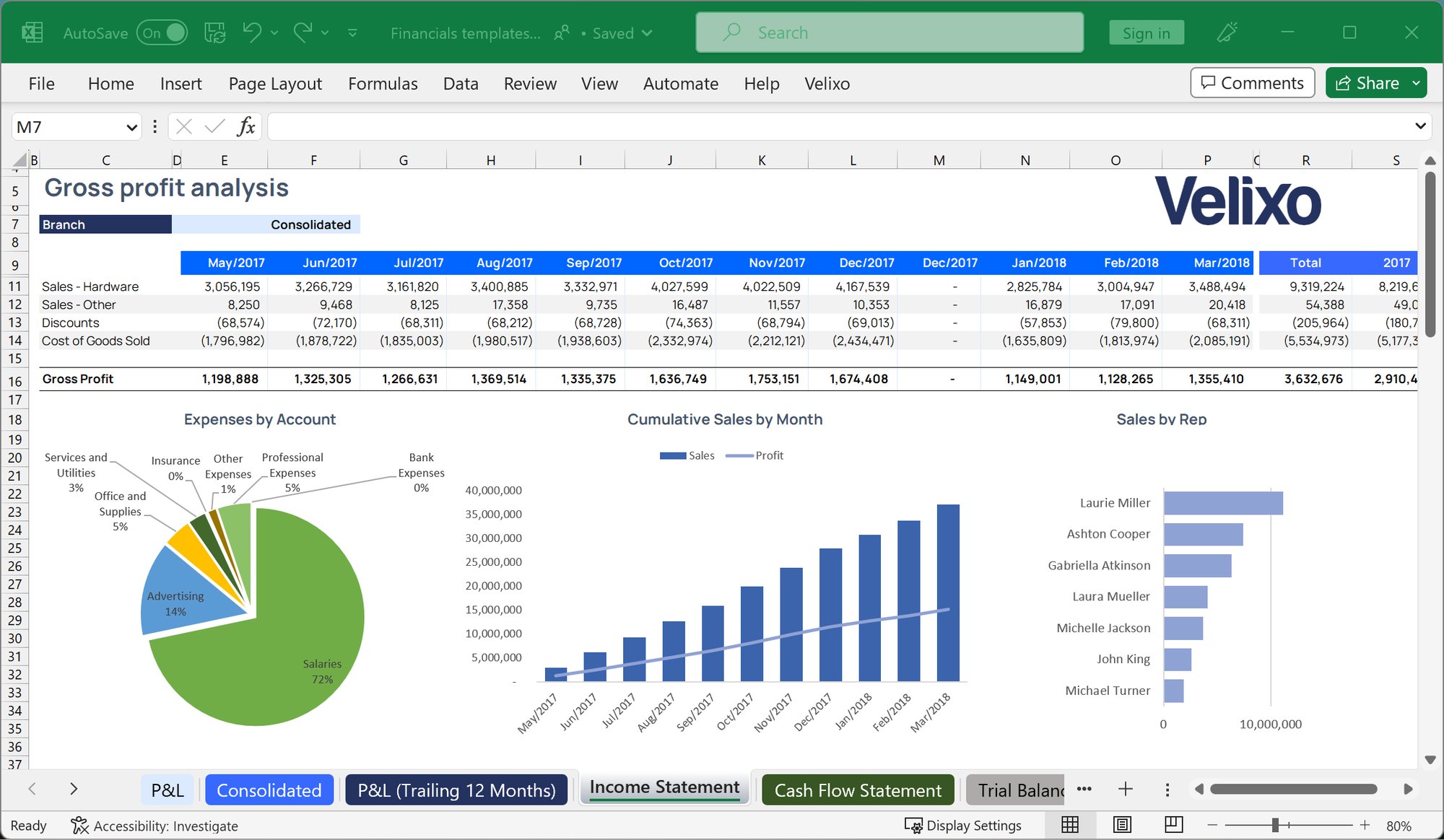
Build financial and project reports in minutes
-
Use Velixo’s Excel toolbar to access Acumatica-specific functions
-
Refresh data instantly across entire workbooks
-
Eliminate manual exports and repetitive rework
-
Improve reporting accuracy while keeping the Excel interface your team already knows
How Velixo Enhances Your Acumatica Workflow
Real-Time Excel Reporting and Writeback for Acumatica ERP
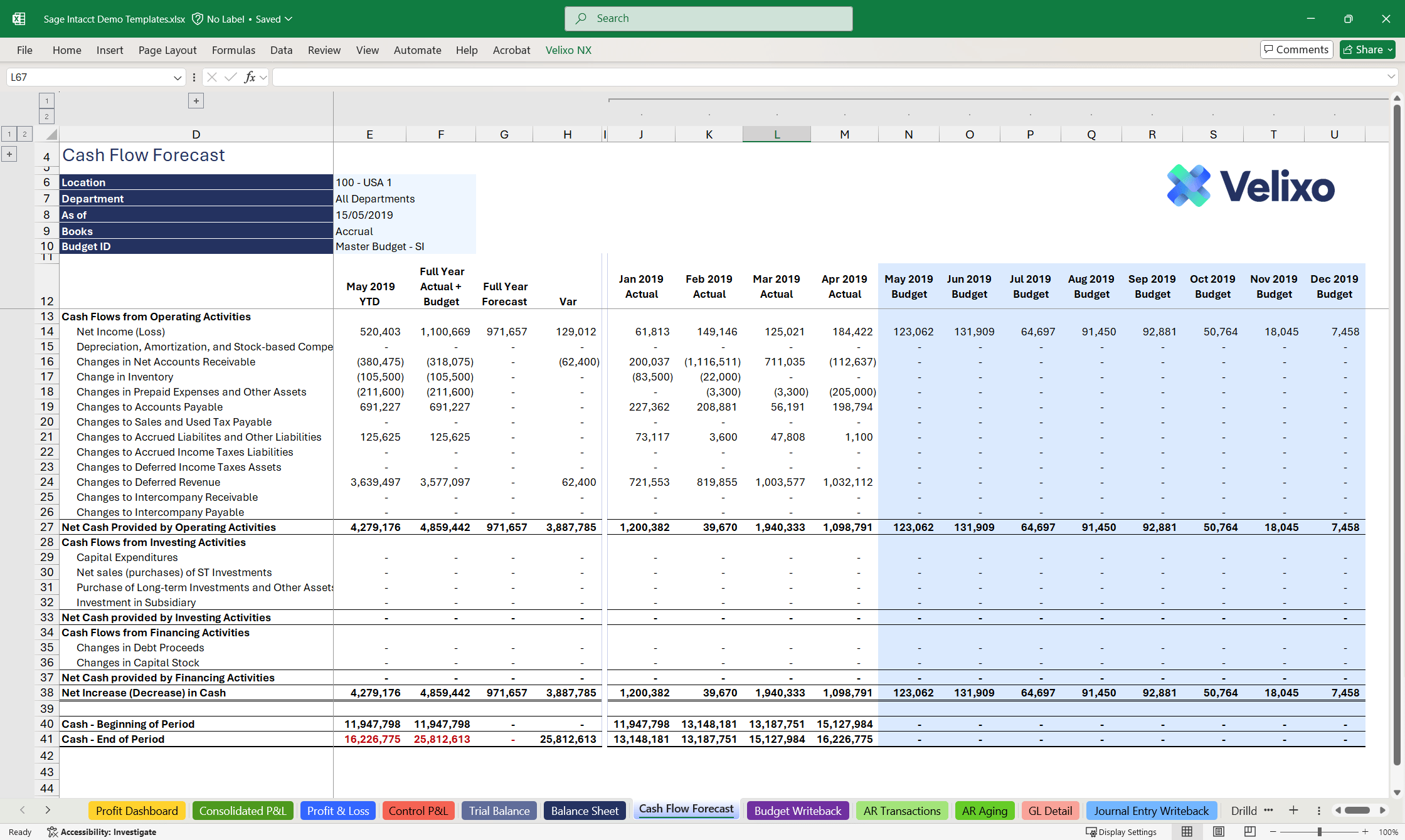
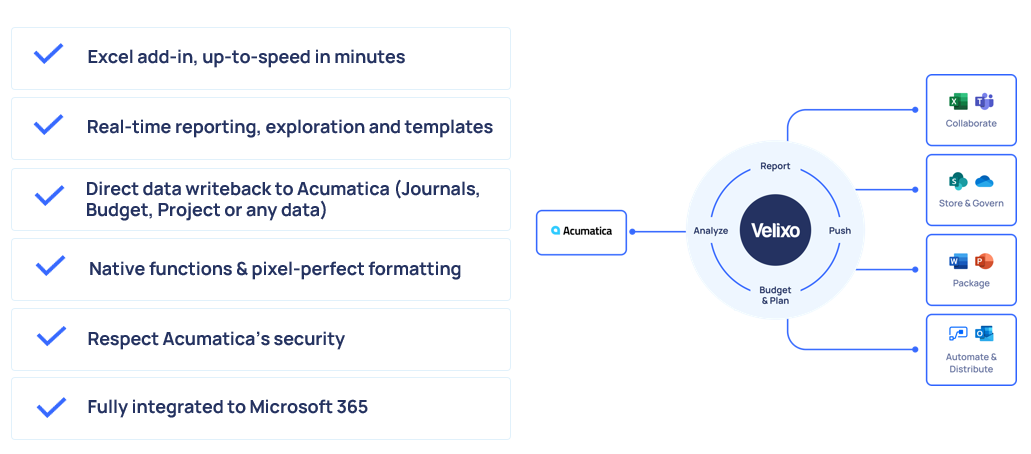
Velixo connects Excel directly to Acumatica so your team can report, analyze, and update ERP data instantly — all without leaving Excel.
With Velixo you can:
-
Pull live Acumatica data into Excel
-
Refresh reports with one click
-
Drill into transaction-level detail
-
Push GL, budget, and project updates back to Acumatica
-
Use native Acumatica-specific Excel functions
-
Automate report packages and distribution
-
Work securely using Acumatica roles & permissions

Explore Velixo Features for Acumatica
A Quick Look at Live Excel Reporting and Multi-Company Visibility
Features
-
Live Excel Integration for Acumatica Data
Connect Excel directly to Acumatica with real-time, refreshable ERP data that updates on demand.
-
Acumatica-Specific Excel Functions
Use 80+ purpose-built formulas for GL balances, project accounting data, and Generic Inquiries.
-
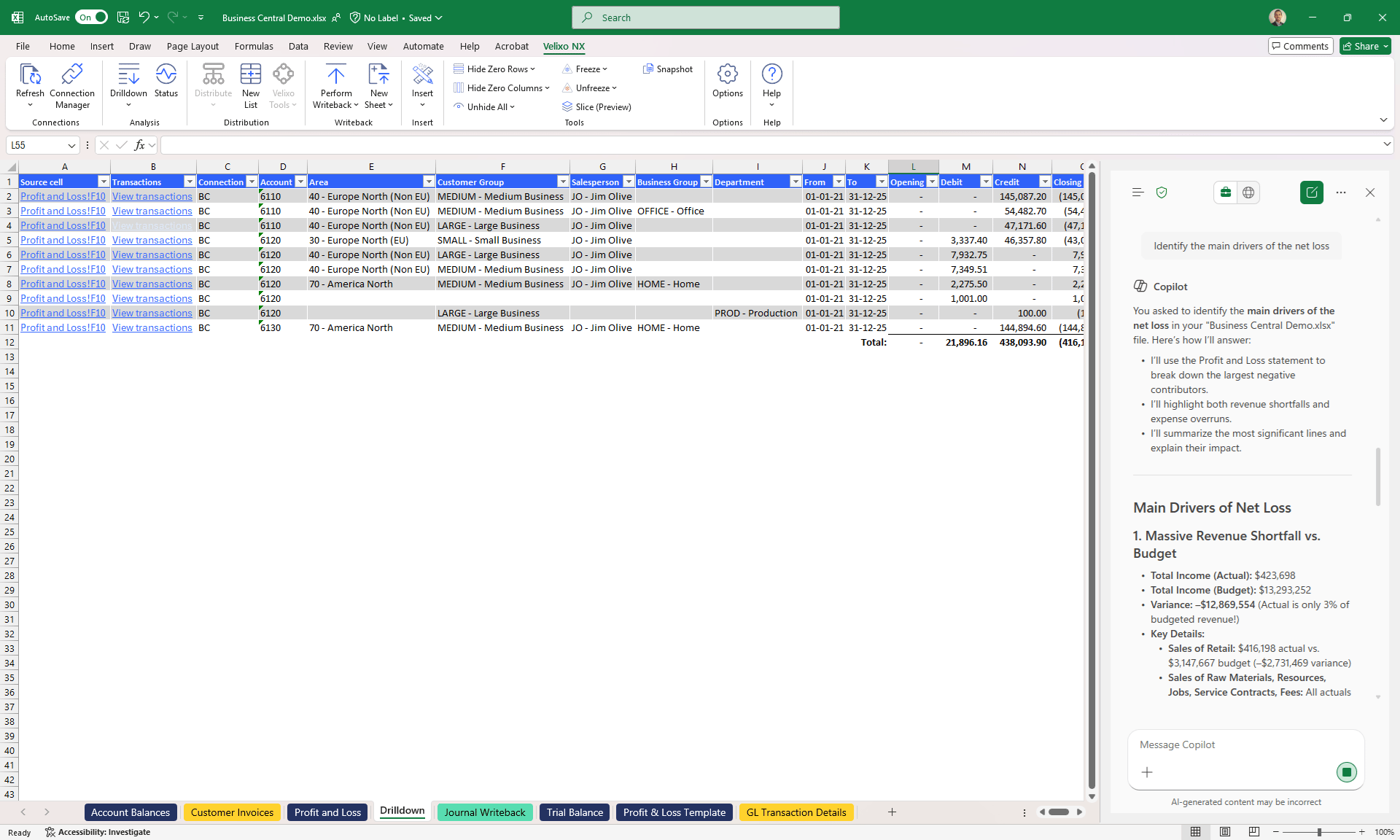
Transaction-Level Drilldown from Excel
Click into any balance to instantly reveal the original Acumatica transactions behind the numbers.
-
Multi-Company and Multi-Branch Reporting
Build consolidated financial statements and cross-entity reports across companies, tenants, or branches.
-
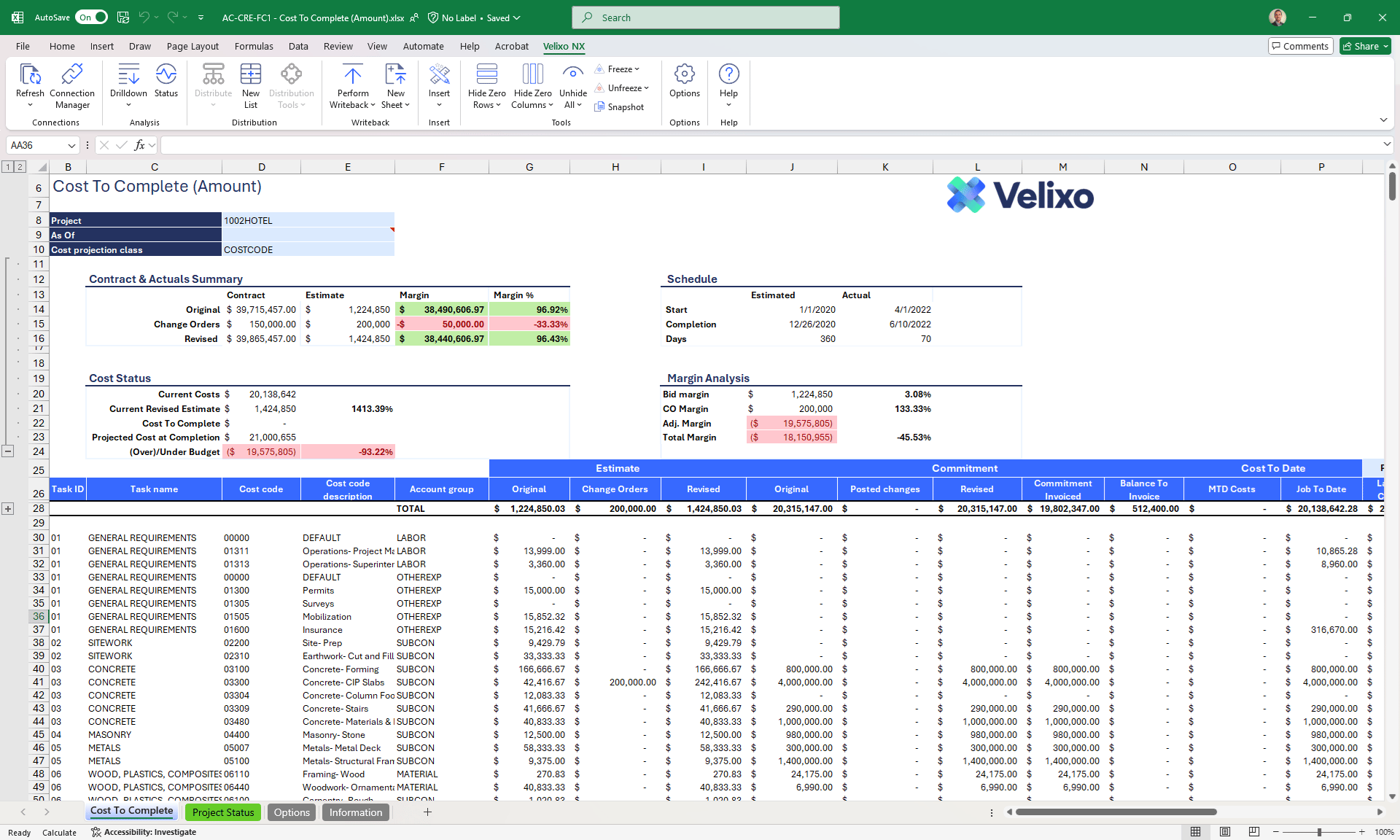
Advanced Project Reporting for Acumatica
Access project budgets, actuals, committed costs, cost codes, and tasks directly inside Excel.
-
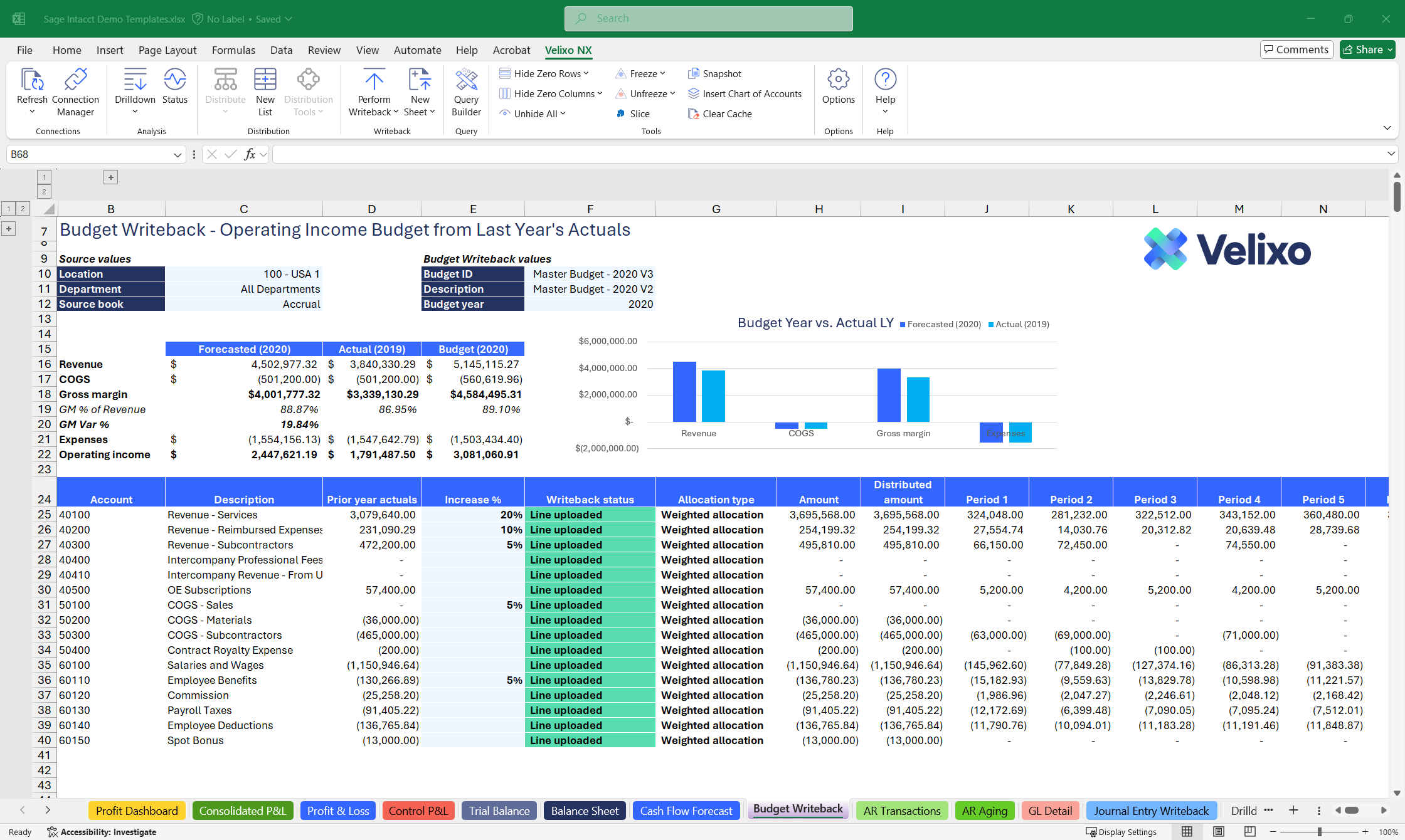
Universal Writeback for GL, Budgets & Forecasts
Push validated journal entries, budget versions, or project forecasts back into Acumatica through secure import scenarios.
-
Automated Report Distribution in Excel or PDF
Send personalized report packages to stakeholders and automate monthly or weekly delivery cycles.
-
Excel-Native Dashboards and Analytics
Use Excel charts, formulas, pivot tables, what-if models, and dashboards with live Acumatica data.
-
Role-Based, Secure ERP Data Access
Velixo respects Acumatica user permissions, restriction groups, and single sign-on for controlled access.

Velixo for Acumatica Datasheet
Learn how Velixo connects Excel to Acumatica in real time to streamline reporting, budgeting, forecasting and project visibility. This downloadable one page PDF highlights Velixo’s most important features, functions and automation capabilities for finance and project teams.
Download the DatasheetEverything You Can Do With Velixo for Acumatica
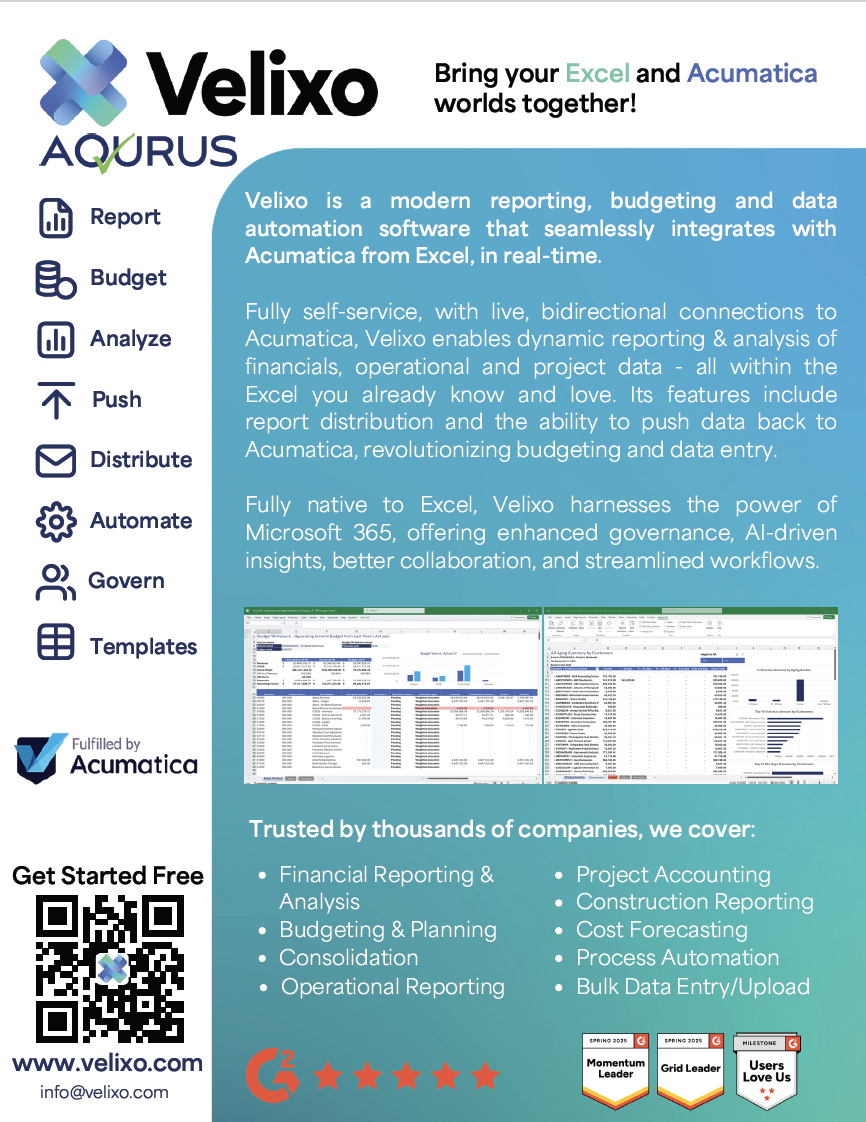
Explore each tab to see how Velixo improves reporting, analysis, budgeting and automation inside Acumatica.
- Report
- Analyze
- Budget & Plan
- Push
- Govern & Collaborate
- Distribute & Automate
Automated Writebacks and Data Entry for Acumatica
Velixo lets you push clean, validated information directly into Acumatica from Excel. This eliminates manual rekeying and helps teams update financial, project, or operational data accurately. Writebacks support GL entries, budget updates, project forecasts, project cost projections and other workflows configured through Acumatica import scenarios.
What Data Push with Velixo Makes Possible:
-
Create or update GL entries directly in Excel
-
Write back budgets, forecasts and project data
-
Automate repetitive data entry tasks
-
Improve ERP data quality and consistency
-
Reduce errors caused by manual updates

Acumatica Budgeting and Planning in Excel
Velixo streamlines budgeting and forecasting by keeping everything inside Excel while maintaining full connection to Acumatica. You can create models, collaborate across departments, run what-if scenarios and validate assumptions, then write budgets back into Acumatica with a single action. This keeps your planning process accurate, controlled and easy to manage.
What Budgeting with Velixo Makes Possible:
-
Build budgets and forecasts using familiar Excel tools
-
Write budget versions directly into Acumatica
-
Create multi-department or multi-company planning models
-
Run what-if scenarios and version comparisons
-
Collaborate securely using Acumatica data governance

Drilldown and Data Analysis for Acumatica
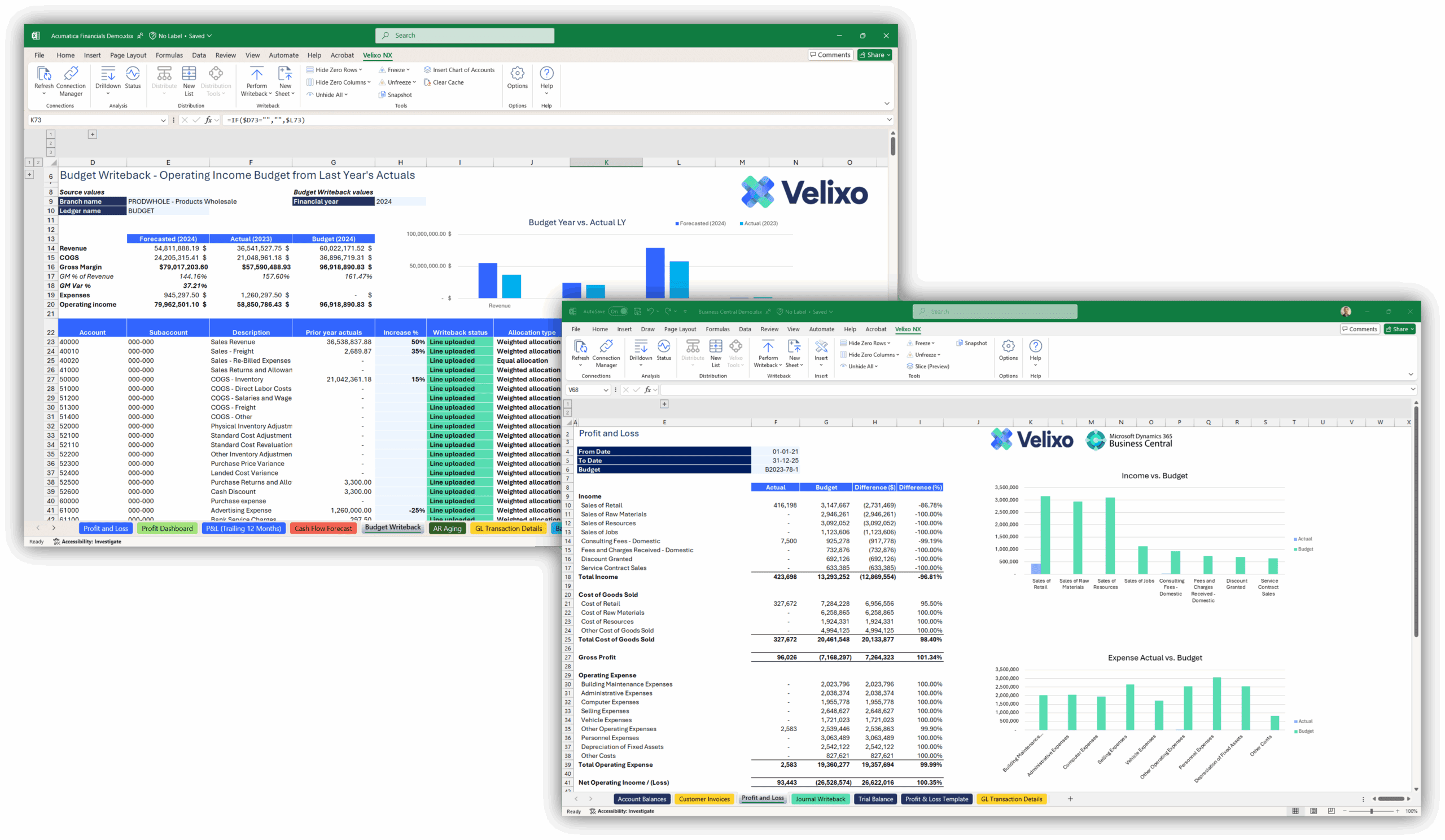
Velixo helps you understand what is driving your numbers by giving you access to Acumatica data directly in Excel. You can drill down into balances, filter by any dimension and explore transactions without leaving your spreadsheet. Trend analysis, performance reviews, and variances become easier to understand because everything remains connected to Acumatica in real-time.
What Analysis with Velixo Makes Possible:
-
Drill into ERP transactions directly from Excel
-
Compare actuals vs budgets across periods or entities
-
Analyze trends using Excel’s native formulas and charts
-
Filter or segment data by accounts, branches, subaccounts, projects and more
-
Build analysis workbooks that update instantly with real-time data

Real Time Reporting for Acumatica in Excel
Velixo gives Acumatica users a fast, intuitive way to build reports directly in Excel using live, ERP-connected data. You can pull real time financial, operational and project information into your spreadsheets and refresh everything with a single click. Velixo’s Acumatica-specific formulas make it easy to build income statements, balance sheets, cash flow reports, dashboards and custom reporting models that stay accurate without manual updates.
What Reporting with Velixo Makes Possible:
-
Build financial and operational reports directly in Excel
-
Use Acumatica-specific formulas for faster setup
-
Drill into transaction-level detail from summary totals
-
Refresh entire workbooks instantly
-
Create repeatable reporting models for month-end and management reviews

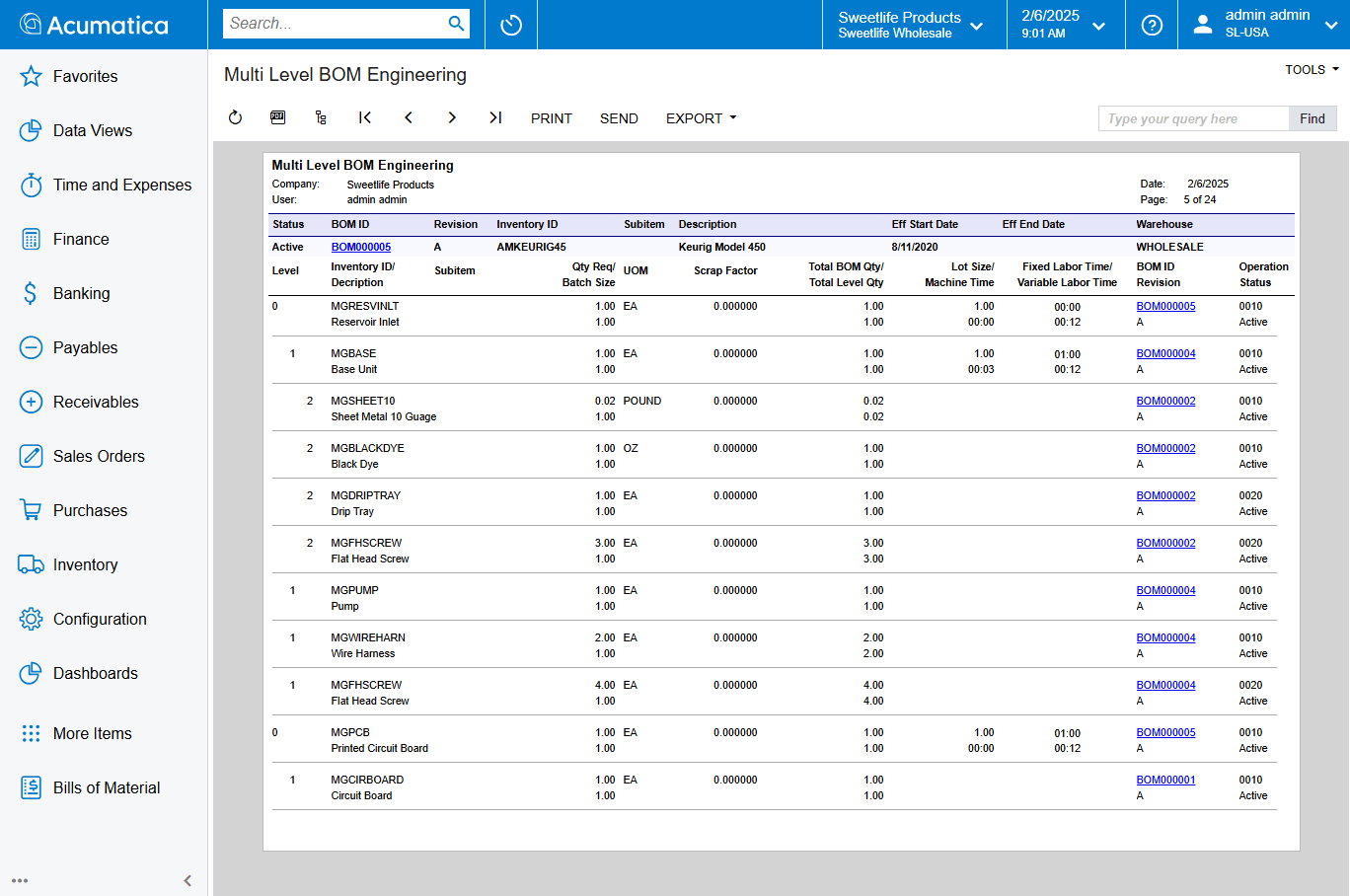
Track costs, measure performance, and manage exceptions with real-time reporting tools built for manufacturers.
Manufacturing Job Cost Reports
Analyze actual vs. estimated job costs to improve accuracy and protect margins.
Work-In-Process (WIP) Reports
Monitor WIP in real time to keep production flowing and avoid bottlenecks or missed deadlines.
Role-Based Dashboards
Give every team member the insights they need with dashboards tailored to their role.
Configurable Inquiries
Quickly drill into live data to answer production, financial, and operational questions.
Notifications and Alerts
Stay informed with automated alerts that flag issues before they become costly problems.
No-Code Reporting
Create and share custom reports without IT support, using easy, no-code reporting tools.
Automated Report Distribution for Acumatica
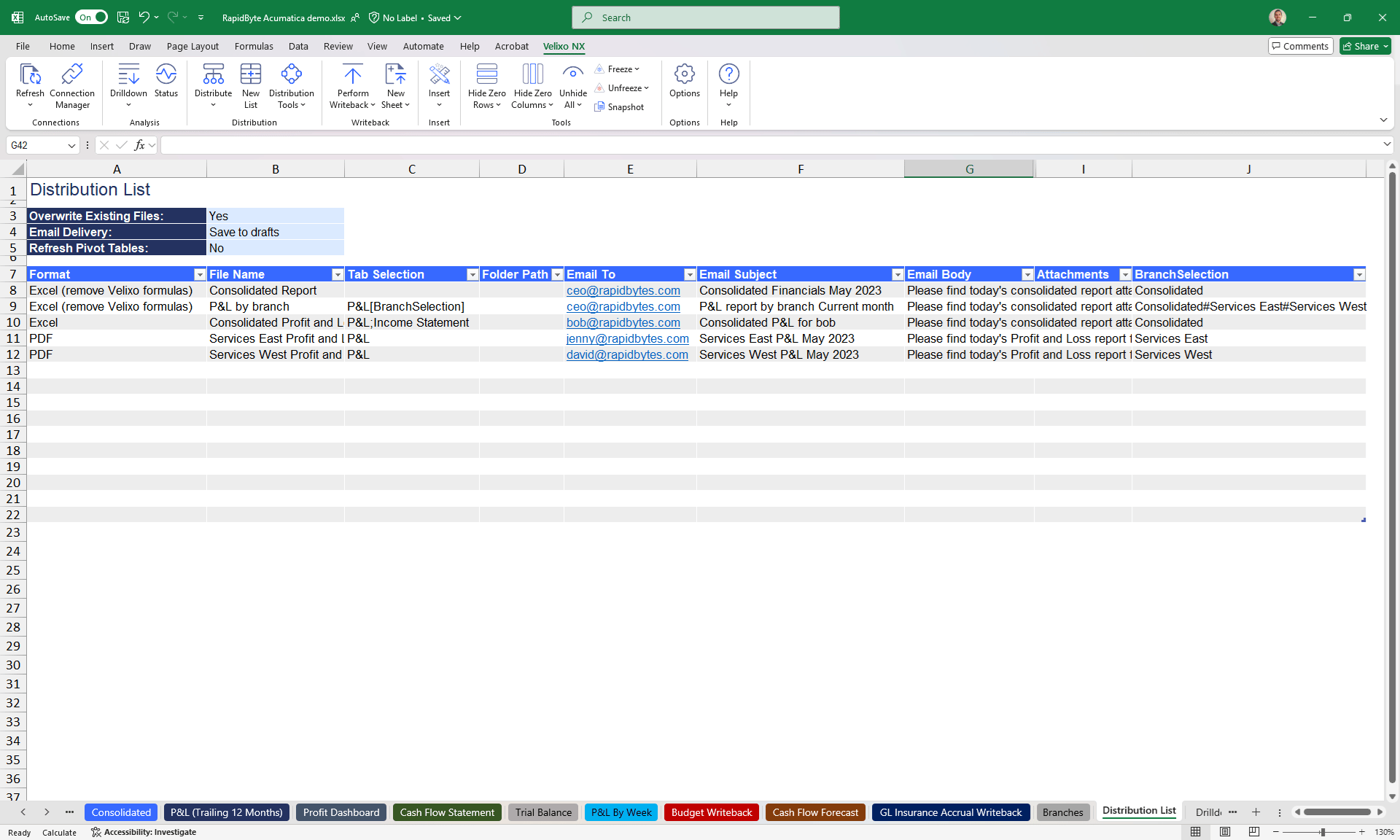
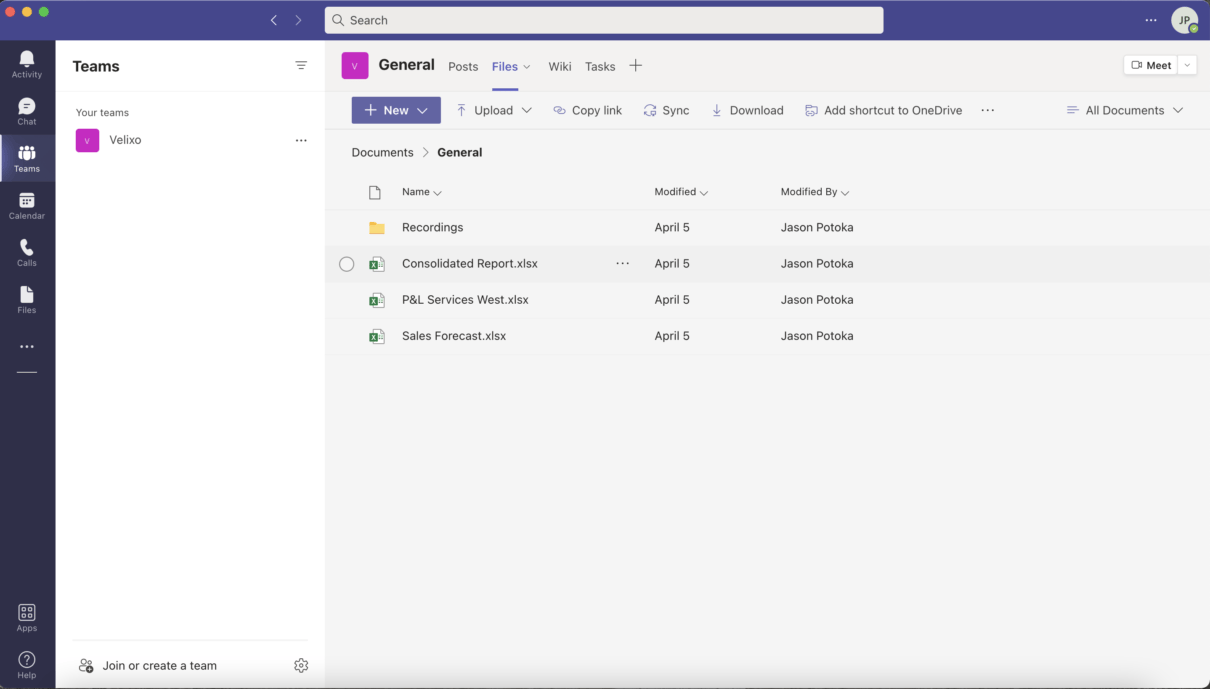
Velixo makes it easy to deliver accurate reports to every person who needs them. You can create distribution lists, personalize versions of the same report for each stakeholder and send them automatically as Excel or PDF files. Month-end packages, management reports and project updates can all be automated to save time and reduce errors.
What Automation with Velixo Makes Possible:
-
Send personalized reports to individuals or groups
-
Deliver Excel or PDF outputs automatically
-
Create scheduled report packages for month-end or weekly cycles
-
Eliminate manual exporting, saving and emailing
-
Ensure everyone receives accurate and up-to-date information

Secure, Governed Collaboration for Acumatica Users
Velixo respects all Acumatica roles, permissions and restriction groups to ensure users only see the data they are authorized to access. You can share workbooks, collaborate across teams and maintain controlled access to sensitive financial and operational information — all while working inside Excel.
What Collaboration with Velixo Makes Possible:
-
Enforce Acumatica roles, permissions and restriction groups
-
Support single sign-on and secure authentication
-
Share reports with confidence across teams
-
Maintain audit-ready control over who sees what
-
Keep data governance intact even inside Excel

Why Acumatica Users Choose Velixo
Fast to Learn, Easy to Use and Powerful Enough for Complex Reporting
Velixo is the easiest way to turn your Acumatica data into clear, accurate and refreshable Excel reports. Velixo connects to Acumatica in real time, bringing your financial, operational and project data into the spreadsheets your team already knows.
With Velixo, you can pull live Acumatica data into Excel, build reports in minutes and refresh everything with one click. You can also push clean and validated information back into Acumatica, which makes budgeting, forecasting and data entry faster, easier and more reliable.
Most Acumatica users rely on Excel when they need deeper analysis or faster insights. Velixo enhances that workflow with governed, ERP-connected data that updates instantly. You get better accuracy, fewer manual steps and a clearer view across your business.
Velixo is used for financial reporting, budgeting and planning, project reporting, project forecasts, multi-company consolidation, operational reporting, construction reporting, bulk data input and improving data quality inside Acumatica.
Trusted by thousands of Acumatica customers, Velixo is easy to learn, quick to set up and powerful enough for complex reporting.
Ready to See Velixo in Action?
Partners in Success
If you’re exploring how Velixo can enhance reporting, budgeting, automation, or project visibility inside Acumatica, the Aqurus team is here to help. Let’s walk through your business needs and show you how Velixo can support clearer, faster decision-making across finance and operations.
Or call us at (877) 355-6528
Velixo for Acumatica Frequently Asked Questions
Find quick answers to common questions about how Velixo works with Acumatica for reporting, budgeting, projects, and automation.
Velixo can report on General Ledger data, project accounting data, budgets, balances, commitments and any Acumatica Generic Inquiry by using Excel functions designed specifically for Acumatica.
Yes. Velixo supports consolidations across multiple companies, tenants and instances so you can build combined or segmented reports directly in Excel.
Yes. Velixo can automatically distribute reports, create different output versions and send Excel or PDF report packages with parameters tailored to each recipient.
Yes. Velixo retrieves project balances, budgets, committed amounts, quantities, tasks and cost codes from Acumatica so you can build detailed project and job cost reports in Excel.
Yes. Velixo runs as an Excel add in and uses native Excel formulas along with Acumatica specific functions, which makes it straightforward for Excel users to learn and use.
Yes. Velixo uses the same login, roles and restriction settings as Acumatica, including branch access and account or subaccount restriction groups, so users only see the data they are authorized to access.