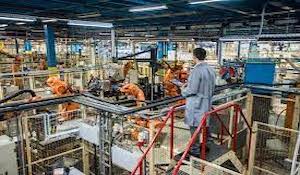
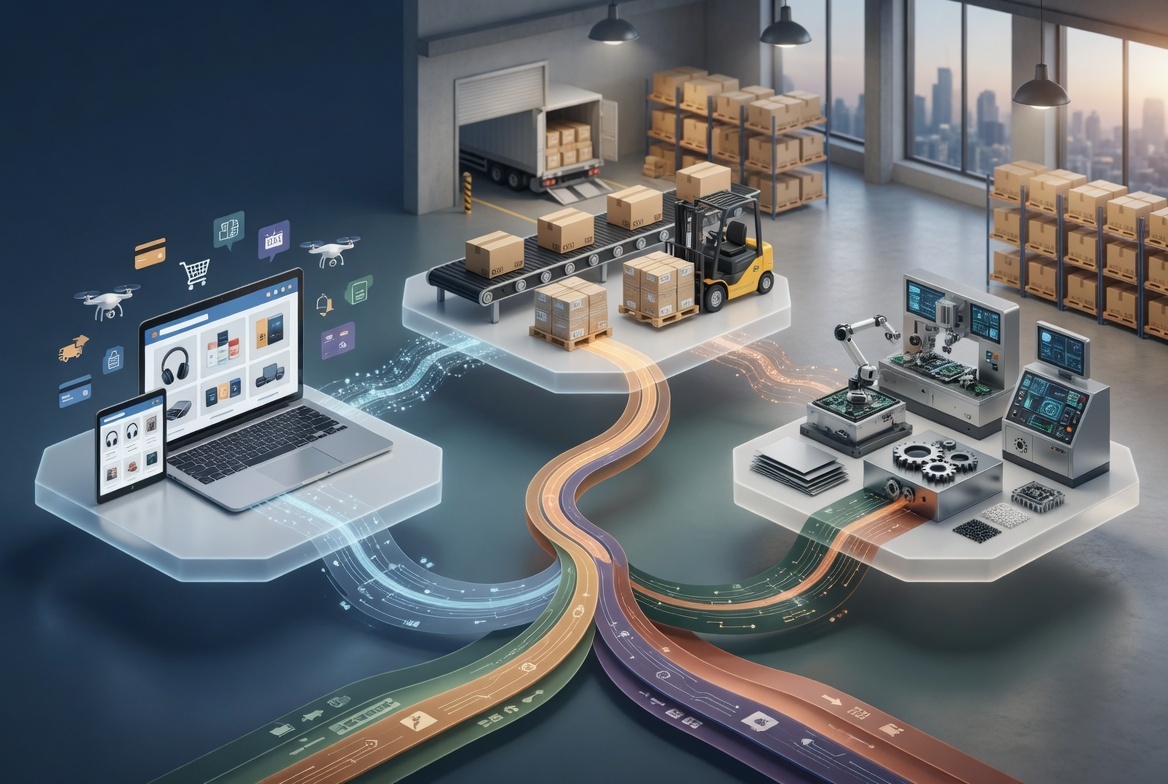
A strong visual ERP system turns manufacturing data into action.
When you compare visual ERP features, look for visual data management, a clear ERP user interface, role-based dashboards, real-time reporting, and connected workflows. For growing manufacturers, these tools help planners, plant leaders, finance, and shop floor teams work from the same live view.
Aqurus focuses on cloud ERP solutions for growing organizations, with manufacturing tools that connect production management, BOM, routing, MRP, advanced planning and scheduling, engineering change control, product configuration, estimating, and manufacturing data capture into one live operational view. (aqurus.ca) That connected approach is a good model when visual clarity matters as much as transaction processing.
What makes a Visual ERP system valuable for manufacturers?
A visual ERP system is useful for manufacturing teams to see, understand, and decide on actions. The goal is not just nicer screens. It is faster alignment between demand, materials, capacity, labour, quality, cost, and delivery promises. The right system cuts guesswork by making limits and exceptions visible before they become missed shipments or costly downtime.
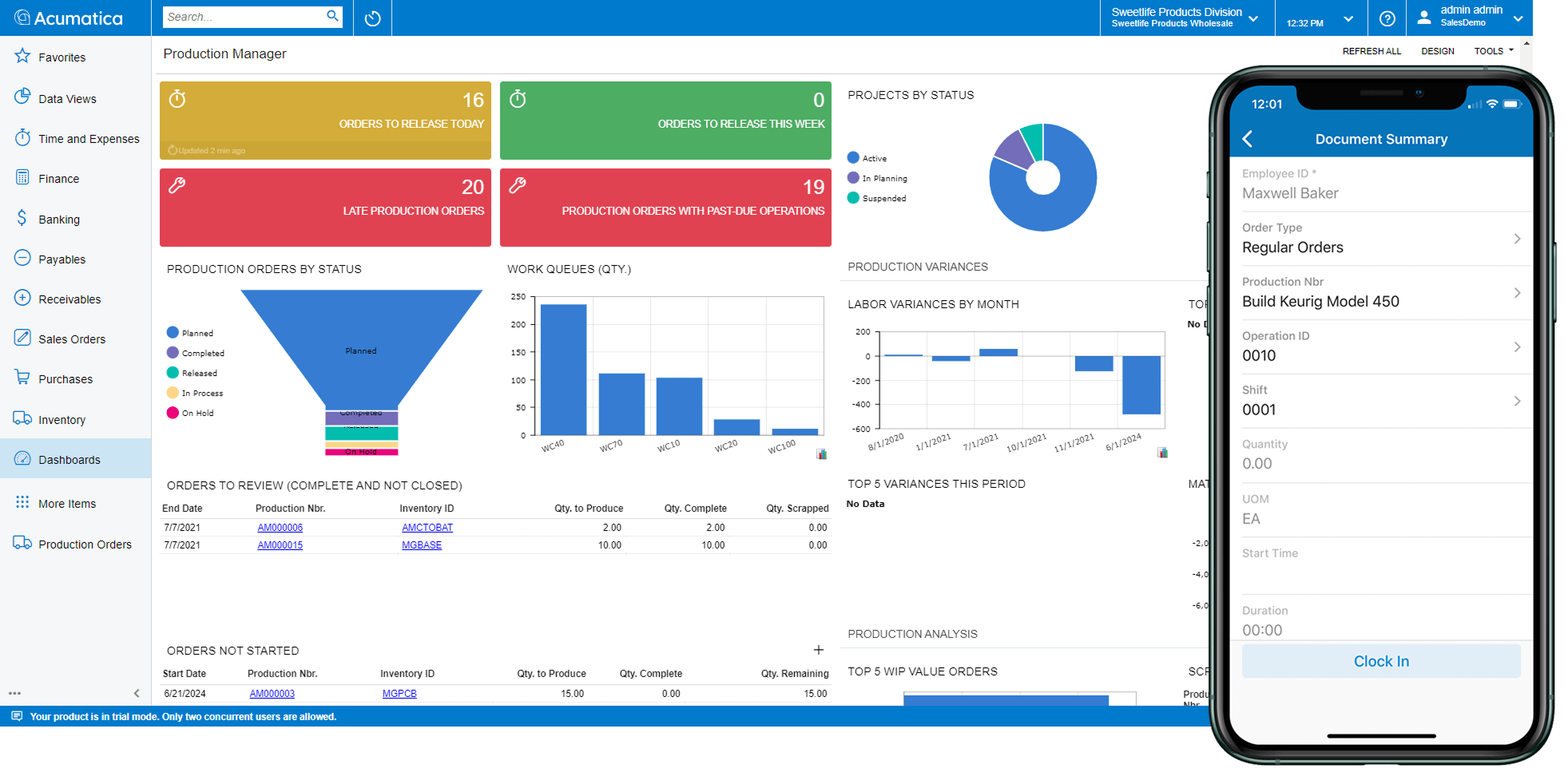
In manufacturing, visual ERP should support both office users and shop floor work. A scheduler may need a capacity view that shows bottlenecks. A supervisor may need production order status, labour reporting, and material shortages at a glance. Executives need summary KPIs, but they also need drill-down paths that explain the number behind the number.
Role-based dashboards that show what each team needs
The best ERP dashboard features are role-based. A production scheduler, plant manager, controller, buyer, quality lead, and sales manager should not work from the same generic screen. Each person needs a focused view that highlights the decisions they must make.
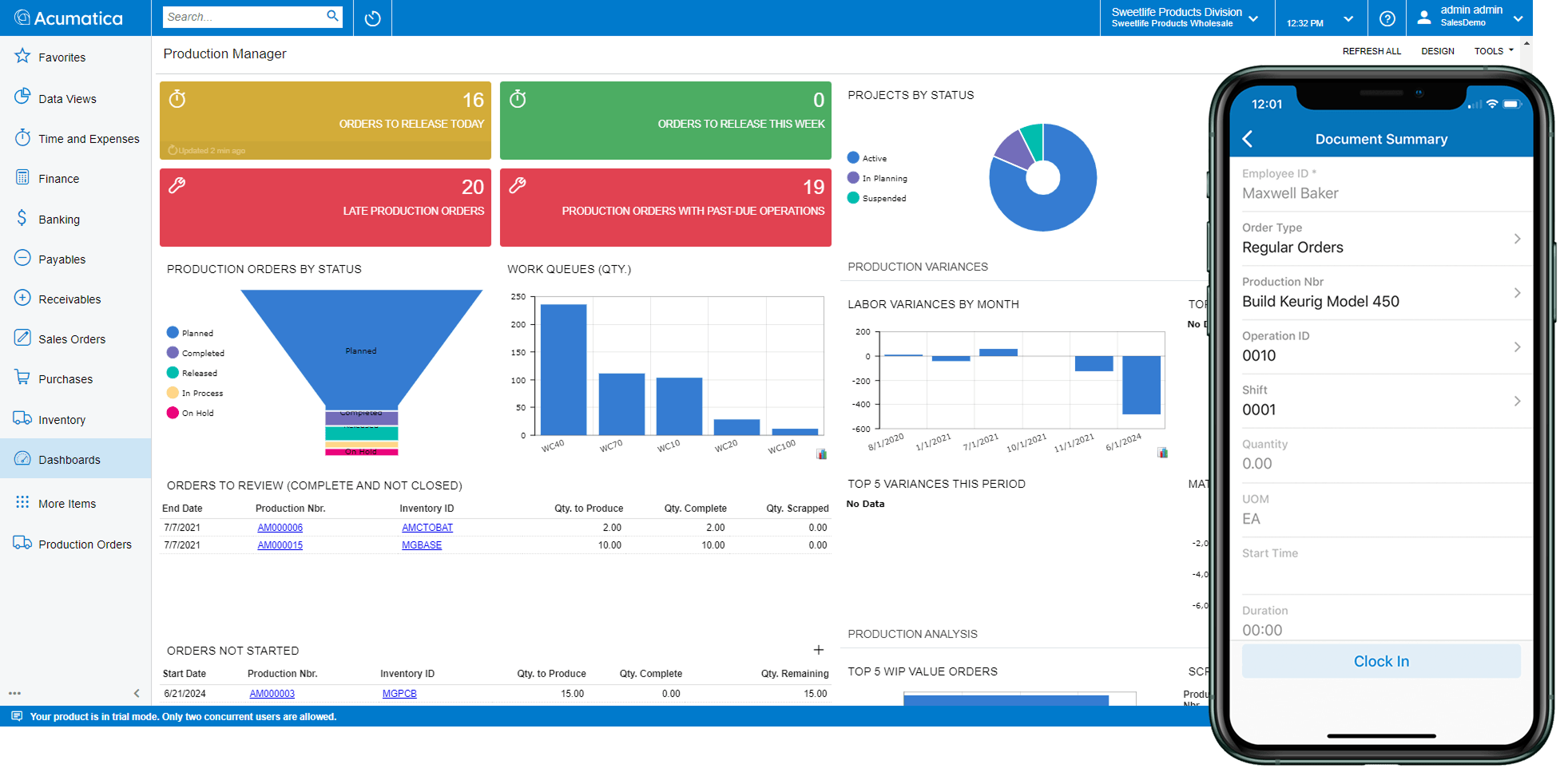
A useful manufacturing dashboard may show open production orders, late operations, machine capacity, labour load, material exceptions, quality holds, and shipment risk. For finance, the view may focus on work order costs, margin, cash flow, payables, receivables, and inventory value. For executives, it may bring these views together into trend lines, KPI cards, alerts, and drillable summaries.
Look for dashboards that are:
- Role-specific: Users see the KPIs, tasks, and alerts that match their job.
- Actionable: Tiles and charts link directly to orders, transactions, approvals, or exception lists.
- Real-time or near real-time: Teams do not have to wait for spreadsheet updates to know what is happening.
- Configurable: Managers can adjust layouts, filters, and metrics without a long IT project.
- Drillable: A high-level variance, delay, or shortage should open the underlying data.
Aqurus highlights role-based dashboards and configurable workflows as part of modern manufacturing ERP, helping teams track the information that matters to their area of work. (aqurus.ca) That matters because a dashboard is only useful if it helps the user act.
ERP data visualization for work orders and production progress
Work orders are the core of many manufacturing settings. They connect the bill of materials, routing, labour, machine time, outside processing, inventory issues, and finished goods receipts. When work order data is shown visually, teams can tell if production is on track without digging through several screens.
Good ERP data visualization for work orders should make status easy to see. A production order must show what has been released, started, completed, delayed, or closed. Visual progress bars, completion percentages, operation status, and exception flags help supervisors see where attention is needed.
This is very useful in daily production meetings. Instead of debating which spreadsheet is right, managers can review the same live ERP view. If a job is late because materials are short, purchasing and production can see the same issue. If labour hours are trending higher than expected, finance and operations can look into it before the variance becomes a month-end surprise.
Strong visual work order tools often include:
- Progress indicators for operations, completed quantities, and remaining work.
- BOM and routing visibility so users can see what should happen next.
- Material availability signals that show shortages before production stops.
- Labour and machine tracking linked to actual production activity.
- Cost visibility that compares expected and actual material, labour, burden, and outside service costs.
Acumatica Manufacturing Edition, offered through Aqurus, includes production tools that show production order status and live job costs. (aqurus.ca) For a manufacturer, that visibility can turn work orders from static instructions into active management tools.
How do scheduling and real-time reporting improve production decisions?
Scheduling and real-time reports help make better production decisions by checking if plans are feasible beforehand. A strong Visual ERP system looks at capacity, material availability, work order priority, and production limits, then helps planners spot conflicts early. When reporting updates as work happens, managers can shift labour, purchasing, customer communication, or machine priority before delays spread through the schedule.
This is where many manufacturers outgrow basic planning tools. A schedule that ignores material lead times or machine limits may look neat on paper but fail on the shop floor. Visual scheduling helps planners see overloaded work centres, late supply, open capacity, and jobs at risk.
Advanced planning and scheduling should answer questions like:
- Which work centres are overloaded this week?
- Which production orders lack materials and are blocked?
- Which customer orders are at risk if a machine goes down?
- Can we take a rush order without delaying current commitments?
- What happens if we move one job ahead of another?
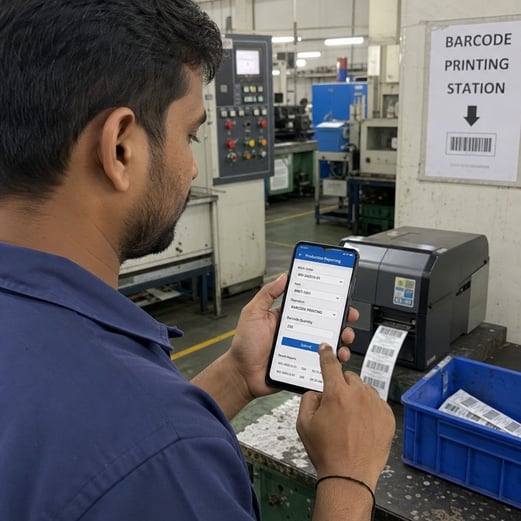
Real-time ERP reporting tools add another layer of confidence. If operators report labour, completions, scrap, moves, or material use through barcode or mobile devices, the system reflects what is actually happening. That cuts the gap between shop floor activity and management reporting.
Aqurus manufacturing resources point to visual scheduling, material planning, and barcode-based data capture in Acumatica Manufacturing Edition. (aqurus.ca) For teams trying to improve on-time delivery, these features help replace reactive expediting with earlier, clearer decision-making.
Cost tracking that connects operations and finance
A visual ERP system should not treat costing as a month-end accounting task only. Manufacturing margin is shaped every day by labour efficiency, material swaps, scrap, outside services, overhead, rework, and schedule changes. If those costs are hidden until after the job closes, managers lose the chance to adjust course.
Look for work order costing that breaks down actual and estimated costs in ways both operations and finance can understand. Labour, material, outside service, and burden should be visible on their own instead of blended into one vague variance. This makes it easier to see whether a margin issue came from pricing, purchasing, routing assumptions, production efficiency, or quality problems.
A good cost dashboard helps answer questions such as:
- Are production orders using more labour than planned?
- Which jobs do material price changes affect?
- Are outside processing costs being captured correctly?
- Do specific product lines or work centres show repeat variances?
- Is inventory value aligned with actual manufacturing activity?
This is where visual data management becomes a bridge between finance and operations. Controllers get faster cost insight, while production leaders see the financial impact of day-to-day decisions.
An ERP user interface designed for real work
The ERP user interface should be easy enough for daily use and strong enough for complex manufacturing. If the system is hard to navigate, people will avoid it, delay entries, or rebuild workarounds in spreadsheets. Visual ERP depends on use, and use depends on the interface.
A manufacturing-friendly interface should reduce clicks, clear clutter, and guide users to the next action. Shop floor staff may need fast barcode scanning, mobile screens, or simple data entry for labour and completions. Managers may need dashboards, saved filters, approvals, alerts, and exception queues. Executives may need summary views that they can explore without asking someone to export data.
Personalization also matters. Different companies use different terms, workflows, approval rules, and reporting priorities. A system that supports user-defined fields, configurable screens, automated workflows, and role-based access can fit the business without heavy code changes.
When you review usability, look for these signs:
- Can users finish common tasks without opening many unrelated screens?
- Can users personalize dashboards by role, site, department, or manager?
- Can alerts and workflows match your real approval process?
- Can mobile users report activity quickly from the floor or field?
- Can the system grow without becoming harder to use?
Aqurus describes Acumatica as cloud ERP built to run securely over the web, with a streamlined setup for growing organizations. (aqurus.ca) That cloud-first access is important when teams need shared visibility across offices, warehouses, and production areas.
ERP reporting tools that support decisions, not just exports
ERP reporting tools should do more than produce static month-end reports. They should help users track performance, investigate issues, and share one version of the truth. In a manufacturing setting, that means reports must connect production, inventory, purchasing, sales, finance, quality, and scheduling data.
Strong reporting tools include standard reports, custom report design, ad hoc inquiries, dashboard widgets, and business intelligence integration. Microsoft Office integration can also help because teams often need to share, review, or present ERP data in familiar formats. The key is to keep exports from becoming the main reporting system. Spreadsheets should support analysis, not replace the ERP as the source of truth.
A practical reporting stack should include:
- Operational reports for open orders, shortages, production status, and work centre performance.
- Financial reports for margin, variance, inventory value, cash flow, and profit analysis.
- Quality reports for defects, scrap, rework, inspections, and traceability.
- Executive dashboards for revenue, delivery performance, backlog, capacity, and margin.
- Self-service inquiries so users can answer follow-up questions without waiting for custom development.
Aqurus materials point to analytics and platform tools such as financial reports, configurable dashboards, Microsoft Power BI integration, generic inquiries, report design, visual workflows, and integration utilities. (cloud-erp.aqurus.ca) These features matter because manufacturing questions rarely stay in one department.
Integration, scale, and industry fit
A Visual ERP system becomes more useful when it connects the full business. Manufacturing does not happen in isolation. It depends on sales demand, engineering changes, purchasing, inventory, quality, shipping, accounting, and customer commitments. If the ERP cannot connect these areas, dashboards may look polished but still miss key context.
For manufacturers with several locations, scale is essential. Multi-site inventory, cross-company processes, central reporting, and local operational views help leaders compare performance while letting each plant manage daily work. Deployment flexibility also matters for companies deciding between cloud, private cloud, or other operating models.
Industry fit should also be part of the review. A manufacturer with traceability, engineering change, quality, or compliance needs needs more than basic inventory and accounting. Capabilities such as lot and serial tracking, quality management, engineering change control, product configuration, CAD or PLM links, and multi-level BOMs can decide whether the system truly fits the way the company works.
Aqurus manufacturing pages describe Acumatica Manufacturing Edition as a suite that includes core manufacturing, distribution, financial, and reporting apps, with optional connected apps to tailor the system to unique business needs. (aqurus.ca) That mix of breadth and flexibility is a useful benchmark when comparing ERP options.
A practical evaluation checklist
When you compare Visual ERP systems, bring the review back to daily manufacturing decisions. A strong demo should show how the system handles a real production case from demand to delivery, not just a polished dashboard.
Use this checklist during selection:
- Dashboard clarity: Can each role see priorities, risks, and next actions quickly?
- Work order visibility: Are routings, BOMs, progress, costs, and exceptions easy to understand?
- Scheduling realism: Does planning account for finite capacity, materials, limits, and priority changes?
- Real-time capture: Can labour, material, completions, scrap, and moves be reported from the floor?
- Reporting depth: Can users drill from KPIs into transactions without rebuilding reports by hand?
- Personalization: Can screens, workflows, fields, alerts, and dashboards fit your process?
- Integration: Does the system connect finance, inventory, production, purchasing, sales, quality, and analytics?
- Scale: Can it support more sites, entities, users, products, and reporting needs?
- Implementation fit: Does the partner understand manufacturing processes as well as software setup?
The final point is easy to overlook. A capable ERP platform still needs a thoughtful implementation partner that can turn operating priorities into useful workflows, dashboards, and reports.
The best Visual ERP turns complexity into confidence
The top visual ERP features to look for are role-based dashboards, clear work order views, realistic scheduling, real-time shop floor reporting, detailed costing, simple use, flexible reporting, strong integration, and scale. Together, these features help manufacturers cut uncertainty and work from one shared source of truth.
For growing manufacturers, the right system should make complex work easier to see and easier to act on. If your team is comparing ERP dashboard features, ERP data visualization, or broader visual data management, focus on how each tool improves daily decisions. A visually strong ERP is not just easier to look at; it helps the business plan better, respond faster, and operate with more confidence.
Q&A
Question: What is the difference between a Visual ERP system and a standard ERP system with reports?
Short answer: A Visual ERP system goes beyond static reporting. It uses dashboards, visual schedules, progress bars, alerts, and drillable views that help people act fast. Standard ERP reports may show what happened, but a strong Visual ERP system helps teams see what is happening now, why it matters, and what to do next.
Question: Why are role-based dashboards so important in manufacturing ERP?
Short answer: Different teams make different decisions. A scheduler needs capacity, shortages, and late operations. A controller needs costs, margin, cash flow, and inventory value. A supervisor needs labour, completions, and production status. Role-based dashboards cut noise by showing each user the KPIs, exceptions, and tasks that matter most.
Question: How does real-time shop floor data improve production performance?
Short answer: Real-time shop floor data cuts the delay between what happens in production and what managers see in the system. When labour, completions, scrap, material use, and moves are captured through barcode or mobile tools, teams can spot shortages, delays, cost issues, and quality problems earlier instead of waiting for manual updates or month-end reports.
Question: What should manufacturers look for during a Visual ERP demo?
Short answer: Manufacturers should ask to see a real production case from demand to delivery. The demo should show dashboards, work orders, BOMs, routings, scheduling, material availability, shop floor reporting, costing, and drill-down reporting. The goal is to confirm that the system supports daily decisions, not just that it looks good.
Question: Why does implementation partner expertise matter when selecting Visual ERP?
Short answer: Even a strong ERP platform needs to be set up around real manufacturing work. An experienced implementation partner can turn production, finance, inventory, scheduling, quality, and reporting needs into practical workflows, dashboards, alerts, and reports that users can adopt with confidence.

 Murray Quibell
 Murray Quibell : Aug 9, 2023, 9:00:00 AM